NES
3-in-1
Play online for free: no sign-up, no install, right in your browser.
Emulator
- Frame rate
- 0 FPS
- Speed
- 0 %
- Uptime
- 0:00
- Controller
- Keyboard
Emulated console
- CPU
- Ricoh 2A03 (6502), 1.79 MHz
- Memory
- 2 KB RAM
- Video
- PPU, 256×240, 54 colors
- Video memory
- 2 KB VRAM
- Sound
- 5 channels: 2 pulse, triangle, noise, DPCM
- Cartridge
- Mapper 1 · MMC1 / SxROM, 128 KB / 72 KB
- Emulator core
- FCEUmm (EmulatorJS)
About 3-in-1
- Platform
- NES
- Developer
- PlayPower
- Genre
- Compilation
- Players
- 1
- License
- Homebrew
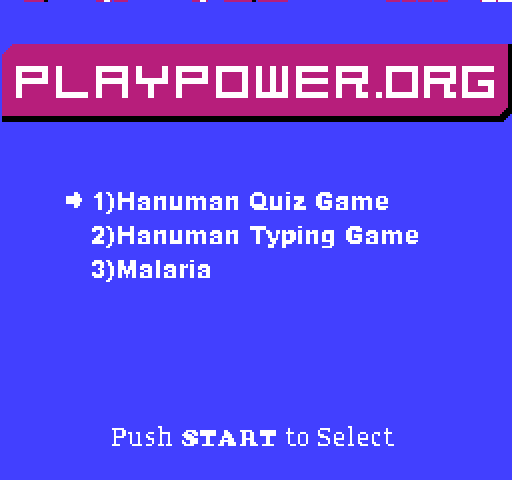
An educational cartridge from PlayPower with three games: a quiz, a typing game and a game about malaria.
The quiz asks multiple-choice questions on Indian and world general knowledge: national figures, geography, rivers, festivals, animals, science and traffic signs. The typing game casts the monkey god Hanuman as the hero of a typing action game, meant to build a skill useful for work. In Malaria you swat mosquitoes, and the points stand for mosquito nets.
Facts
- PlayPower was a non-profit founded in 2008 at the University of California, San Diego by Derek Lomas, Daniel Rehn and Jeremy Douglass, to make cheap educational games for Famicom-clone computers in India and other developing countries.
- The target hardware was a keyboard computer with a 6502 processor that cost about 12 dollars and plugged into a TV.
- PlayPower won a MacArthur Foundation Digital Media and Learning Competition award in 2009. The source code of the three games was released, and the project ended in 2012 when the team moved to mobile games as PlayPower Labs.
Cartridge
- Mapper
- 1 · MMC1 / SxROM
- PRG / CHR
- 128 KB / 72 KB
- Mirroring
- Horizontal
- Saves
- Yes
204,816 bytes · CRC32 3FF04490 · MD5 d0fdfddb939d84bbc6348ba849d38830
Keyboard controls
- D-pad
- ← ↑ ↓ →
- A
- Z
- B
- X
- Start
- Enter
- Select
- V
Steam Controller
- D-pad
- D-pad
- A
- A
- B
- B
- Start
- Start
- Select
- Select
Xbox controller
- D-pad
- D-pad
- A
- A
- B
- B
- Start
- Menu
- Select
- View
DualSense controller
- D-pad
- D-pad
- A
- ✕
- B
- ○
- Start
- Options
- Select
- Create
Keys and controller buttons can be remapped with the Controls button under the game. Save and Load keep a snapshot of the game in your browser. Steam Controller works as a gamepad through Steam Input. On phones, on-screen buttons appear.