NES
Battle Marine
Play online for free: no sign-up, no install, right in your browser.
Emulator
- Frame rate
- 0 FPS
- Speed
- 0 %
- Uptime
- 0:00
- Controller
- Keyboard
Emulated console
- CPU
- Ricoh 2A03 (6502), 1.79 MHz
- Memory
- 2 KB RAM
- Video
- PPU, 256×240, 54 colors
- Video memory
- 2 KB VRAM
- Sound
- 5 channels: 2 pulse, triangle, noise, DPCM
- Cartridge
- Mapper 0 · NROM, 32 KB / 8 KB
- Emulator core
- FCEUmm (EmulatorJS)
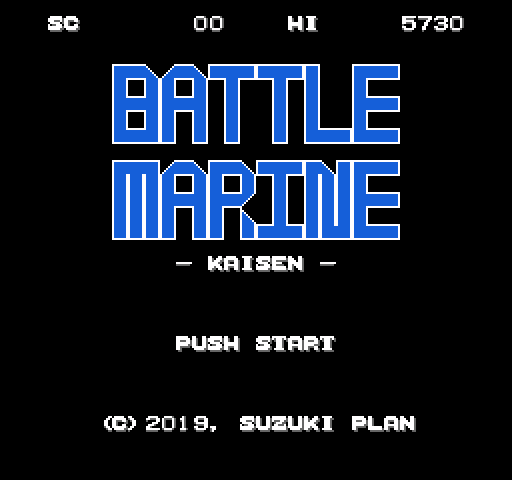
About Battle Marine
Suzuki Plan's naval shooter, subtitled Kaisen (sea battle), ported to the Famicom from a smartphone game with some cuts for the hardware.
Your ship sits on the surface and fires at submarines, fish and crabs while seagulls pass overhead and drop things on you. Submarines launch torpedoes when they line up with you, fish sometimes jump, and crabs fire homing shots and wrap around the screen instead of leaving, so they are best destroyed at once. Touching an enemy ends the game.
Scoring rewards careful aim: each kill is worth 10 points and adds a medal, up to 15, plus a bonus of ten times your medal count, but a missed shot halves the medals.
The Famicom version is written in 6502 assembly and its source is published under GPLv3. Battle Marine was also made for Suzuki Plan's VGS-Zero platform, and a Game Gear cartridge based on that version came out in September 2024. A sequel, Battle AirForce, was announced for Steam in January 2025.
How to play
- Controls
- The D-pad moves the ship, A or B fires.
Facts
- A Famicom port of a Suzuki Plan smartphone game, released with source code under GPLv3.
- Kills are worth 10 points plus ten times the medal count; misses halve the medals.
- A Game Gear cartridge ported from the VGS-Zero version came out in September 2024.
- The sequel Battle AirForce was announced for Steam in January 2025.
Cartridge
- Mapper
- 0 · NROM
- PRG / CHR
- 32 KB / 8 KB
- Mirroring
- Vertical
- Saves
- No
40,976 bytes · CRC32 8CC87739 · MD5 3f05ede5d4bf5b17bc0c3cd664303487
Keyboard controls
- D-pad
- ← ↑ ↓ →
- A
- Z
- B
- X
- Start
- Enter
- Select
- V
Steam Controller
- D-pad
- D-pad
- A
- A
- B
- B
- Start
- Start
- Select
- Select
Xbox controller
- D-pad
- D-pad
- A
- A
- B
- B
- Start
- Menu
- Select
- View
DualSense controller
- D-pad
- D-pad
- A
- ✕
- B
- ○
- Start
- Options
- Select
- Create
Keys and controller buttons can be remapped with the Controls button under the game. Save and Load keep a snapshot of the game in your browser. Steam Controller works as a gamepad through Steam Input. On phones, on-screen buttons appear.