
NES
Typing
Play online for free: no sign-up, no install, right in your browser.
Emulator
- Frame rate
- 0 FPS
- Speed
- 0 %
- Uptime
- 0:00
- Controller
- Keyboard
Emulated console
- CPU
- Ricoh 2A03 (6502), 1.79 MHz
- Memory
- 2 KB RAM
- Video
- PPU, 256×240, 54 colors
- Video memory
- 2 KB VRAM
- Sound
- 5 channels: 2 pulse, triangle, noise, DPCM
- Cartridge
- Mapper 0 · NROM, 32 KB / 8 KB
- Emulator core
- FCEUmm (EmulatorJS)
About Typing
- Platform
- NES
- Developer
- Johnybot
- Genre
- Educational, Puzzle
- Players
- 1
- License
- Homebrew
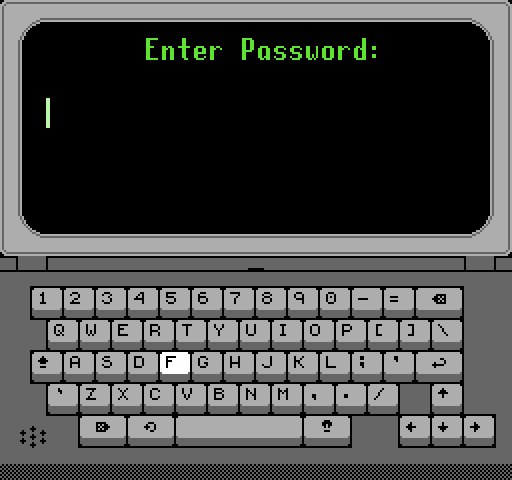
Enter Password, Johnybot's NES take on The Password Game: type a password that meets an ever-growing list of absurd rules.
Each time you submit, a message says what is still wrong, from "Needs uppercase letter" to "RGB must be on".
How to play
- Controls
- The D-pad moves around the keyboard, A types, B deletes, Select toggles Caps Lock, Start submits.
Facts
- Johnybot distributes it on itch.io under the title Enter Password.
Cartridge
- Mapper
- 0 · NROM
- PRG / CHR
- 32 KB / 8 KB
- Mirroring
- Vertical
- Saves
- No
40,976 bytes · CRC32 70A2E100 · MD5 613f27f190f3c1a1bc0fec7640c80948
Keyboard controls
- D-pad
- ← ↑ ↓ →
- A
- Z
- B
- X
- Start
- Enter
- Select
- V
Steam Controller
- D-pad
- D-pad
- A
- A
- B
- B
- Start
- Start
- Select
- Select
Xbox controller
- D-pad
- D-pad
- A
- A
- B
- B
- Start
- Menu
- Select
- View
DualSense controller
- D-pad
- D-pad
- A
- ✕
- B
- ○
- Start
- Options
- Select
- Create
Keys and controller buttons can be remapped with the Controls button under the game. Save and Load keep a snapshot of the game in your browser. Steam Controller works as a gamepad through Steam Input. On phones, on-screen buttons appear.
More Educational games: NES
View all StreemerzNES · Action
 Famidash: Huge ManNES · Platformer
 CatsNES · Action
 Cat KillerNES · Action
 The MasmixNES · Action
 Super Homebrew WarNES · Fighting
 Rookie Egg JugglersNES · Action
 Famidash: B-SidesNES · Platformer
 CelesteNES · Platformer
 After World DeluxeNES · Adventure
 Zombie Hunter BobNES · Fighting
 The Chrilogy Loop: For PointsNES · Action