
NES
Assimilate
Play online for free: no sign-up, no install, right in your browser.
Emulator
- Frame rate
- 0 FPS
- Speed
- 0 %
- Uptime
- 0:00
- Controller
- Keyboard
Emulated console
- CPU
- Ricoh 2A03 (6502), 1.79 MHz
- Memory
- 2 KB RAM
- Video
- PPU, 256×240, 54 colors
- Video memory
- 2 KB VRAM
- Sound
- 5 channels: 2 pulse, triangle, noise, DPCM
- Cartridge
- Mapper 1 · MMC1 / SxROM, 128 KB / 128 KB
- Emulator core
- FCEUmm (EmulatorJS)
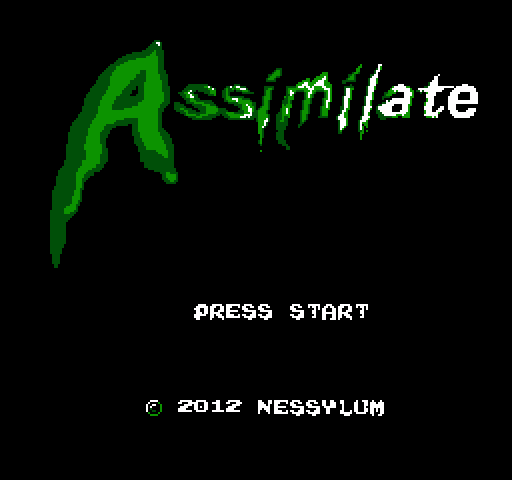
About Assimilate
You pilot the alien ship Ossan from city to city in this side-scroller, beaming up the people below until each population is fully assimilated.
A radar points to the next target, and an arrow marks the victim once you are close. Hold B to extend the beam; let go too early and the victim falls, costing points. Start cycles through four assimilation tools: stronger ones keep a victim aboard longer but give a bigger boost to the assimilation meter. While someone is aboard the ship moves at half speed, and A ejects them at the cost of points and progress. Time taken is deducted from your score at the end of each stage.
John White (bigjt_2 on the NESdev forum) first showed it there in August 2010, two months into what was his first full game. It was released in 2012 by his label Nessylum, with RetroUSB as publisher, and a RetroUSB edition followed in 2016.
How to play
- Controls
- B holds the beam, A ejects a captive, Start cycles assimilation tools.
Facts
- First shown on the NESdev forum by bigjt_2 on 4 August 2010.
- Released on 9 February 2012 by Nessylum, published by RetroUSB.
- John White was interviewed about it on RF Generation in 2012.
- A RetroUSB edition was released in 2016.
Cartridge
- Mapper
- 1 · MMC1 / SxROM
- PRG / CHR
- 128 KB / 128 KB
- Mirroring
- Horizontal
- Saves
- Yes
262,160 bytes · CRC32 FB20A47D · MD5 8fde56dfa8bed4c5e3200ed8bccda9a6
Keyboard controls
- D-pad
- ← ↑ ↓ →
- A
- Z
- B
- X
- Start
- Enter
- Select
- V
Steam Controller
- D-pad
- D-pad
- A
- A
- B
- B
- Start
- Start
- Select
- Select
Xbox controller
- D-pad
- D-pad
- A
- A
- B
- B
- Start
- Menu
- Select
- View
DualSense controller
- D-pad
- D-pad
- A
- ✕
- B
- ○
- Start
- Options
- Select
- Create
Keys and controller buttons can be remapped with the Controls button under the game. Save and Load keep a snapshot of the game in your browser. Steam Controller works as a gamepad through Steam Input. On phones, on-screen buttons appear.
More Action games: NES
View all StreemerzNES · Action
 CatsNES · Action
 Cat KillerNES · Action
 The MasmixNES · Action
 Rookie Egg JugglersNES · Action
 The Chrilogy Loop: For PointsNES · Action
 Candelabra Tiny Tales: The Absconder of Dungeon WarrenNES · Action
 8-Bit Slasher 4-in-1 Horror DemakesNES · Action
 Zooming SecretaryNES · Action
 The One with the WallsNES · Action
 Vigilante Ninja 2NES · Action
 The Paper PlaneNES · Action