
NES
Candelabra: Estoscerro
Play online for free: no sign-up, no install, right in your browser.
Emulator
- Frame rate
- 0 FPS
- Speed
- 0 %
- Uptime
- 0:00
- Controller
- Keyboard
Emulated console
- CPU
- Ricoh 2A03 (6502), 1.79 MHz
- Memory
- 2 KB RAM
- Video
- PPU, 256×240, 54 colors
- Video memory
- 2 KB VRAM
- Sound
- 5 channels: 2 pulse, triangle, noise, DPCM
- Cartridge
- Mapper 30 · UNROM 512, 512 KB / RAM
- Emulator core
- FCEUmm (EmulatorJS)
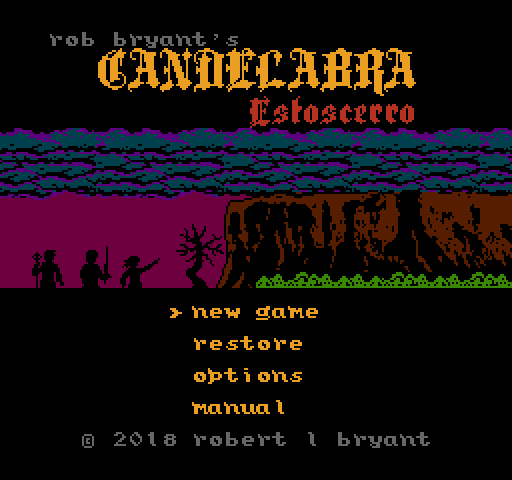
About Candelabra: Estoscerro
Sly Dog Studios' first-person dungeon crawler, played with two NES controllers held upright, one in each hand.
The heroes of the earlier Candelabra games, The Mad Wizard, The Scarlet Matron and The Warlord Slayer, reappear without weapons and must scavenge gear left by earlier adventurers in the halls of Estoscerro, on a quest for the king to climb a plateau and find the Candelabra.
Fights are about timing attacks and blocking blows rather than choosing commands from a menu. With a controller in each hand, your thumbs rest on the two D-pads, and most actions use the arrows or Start and Select. A modified Virtual Boy controller also works. Information is spread across several parts of the screen, and reading the manual first is recommended.
Each Candelabra game covers a different point in one sword-and-sorcery story in a different style; the idea began with experiments in RPG Maker on the PlayStation. A Kickstarter for a physical edition ran from 22 March to 21 April 2019 and raised 27,533 dollars against a 7,500 dollar goal, and the game was shown on the PAX East 2019 floor. The cartridge runs on NTSC and PAL consoles, and on a Famicom with an adapter.
Facts
- Kickstarter ran from 22 March to 21 April 2019 and raised 27,533 dollars against a 7,500 dollar goal.
- Shown at PAX East 2019.
- Uses two NES controllers held vertically, or a modified Virtual Boy controller.
- The cartridge plays on NTSC and PAL NES, and on Famicom with an adapter.
Cartridge
- Mapper
- 30 · UNROM 512
- PRG / CHR
- 512 KB / RAM
- Mirroring
- Vertical
- Saves
- Yes
524,304 bytes · CRC32 ACC3E3DF · MD5 2083dea804435777f49e43d4920edb78
Keyboard controls
- D-pad
- ← ↑ ↓ →
- A
- Z
- B
- X
- Start
- Enter
- Select
- V
Steam Controller
- D-pad
- D-pad
- A
- A
- B
- B
- Start
- Start
- Select
- Select
Xbox controller
- D-pad
- D-pad
- A
- A
- B
- B
- Start
- Menu
- Select
- View
DualSense controller
- D-pad
- D-pad
- A
- ✕
- B
- ○
- Start
- Options
- Select
- Create
Keys and controller buttons can be remapped with the Controls button under the game. Save and Load keep a snapshot of the game in your browser. Steam Controller works as a gamepad through Steam Input. On phones, on-screen buttons appear.
More RPG games: NES
View all StreemerzNES · Action
 Famidash: Huge ManNES · Platformer
 CatsNES · Action
 Cat KillerNES · Action
 The MasmixNES · Action
 Super Homebrew WarNES · Fighting
 Rookie Egg JugglersNES · Action
 Famidash: B-SidesNES · Platformer
 CelesteNES · Platformer
 After World DeluxeNES · Adventure
 Zombie Hunter BobNES · Fighting
 The Chrilogy Loop: For PointsNES · Action