
NES
Double Dream
Play online for free: no sign-up, no install, right in your browser.
Emulator
- Frame rate
- 0 FPS
- Speed
- 0 %
- Uptime
- 0:00
- Controller
- Keyboard
Emulated console
- CPU
- Ricoh 2A03 (6502), 1.79 MHz
- Memory
- 2 KB RAM
- Video
- PPU, 256×240, 54 colors
- Video memory
- 2 KB VRAM
- Sound
- 5 channels: 2 pulse, triangle, noise, DPCM
- Cartridge
- Mapper 28 · Action 53, 64 KB / RAM
- Emulator core
- FCEUmm (EmulatorJS)
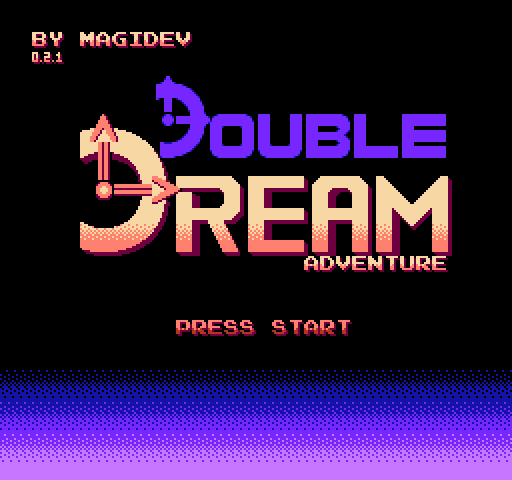
About Double Dream
- Platform
- NES
- Developer
- Mag1dev
- Year
- 2025
- Genre
- Platformer
- Players
- 1
- License
- Homebrew
Mag1dev's platformer is built around movement, which the author calls shmovement: once your skills are good enough you can go almost anywhere.
Signs teach the moves: jumps that rise as long as you hold A, a spin kick that also works off walls and combines with a moonflip, wall kicks, a bouncy dash, rolling through tunnels, running and throwing objects. The Dream Catcher pocket stores an enemy or object for later, a raft blocks shots and a bat lets you glide down.
Dollim, a young magician, is the first person you meet. There are checkpoints, 12 stars to find and a hidden room. The world scrolls continuously instead of cutting between screens.
Mag1dev entered a 32 KB prototype in the NESdev Compo 2023, dated 20 November 2023. Versions 0.2.0 and 0.2.1 added the Dream Catcher, scrolling in every direction, slopes, semi-solid platforms and a pause menu. It is a name-your-own-price download with a browser version.
Facts
- A 32 KB prototype was entered in the NESdev Compo 2023, dated 20 November 2023.
- Versions 0.2.0 and 0.2.1 added the Dream Catcher, multidirectional scrolling, slopes and a pause menu.
Cartridge
- Mapper
- 28 · Action 53
- PRG / CHR
- 64 KB / RAM
- Mirroring
- Vertical
- Saves
- No
65,552 bytes · CRC32 055E78D5 · MD5 b04b0568753b047e06b565734f2f9abb
Keyboard controls
- D-pad
- ← ↑ ↓ →
- A
- Z
- B
- X
- Start
- Enter
- Select
- V
Steam Controller
- D-pad
- D-pad
- A
- A
- B
- B
- Start
- Start
- Select
- Select
Xbox controller
- D-pad
- D-pad
- A
- A
- B
- B
- Start
- Menu
- Select
- View
DualSense controller
- D-pad
- D-pad
- A
- ✕
- B
- ○
- Start
- Options
- Select
- Create
Keys and controller buttons can be remapped with the Controls button under the game. Save and Load keep a snapshot of the game in your browser. Steam Controller works as a gamepad through Steam Input. On phones, on-screen buttons appear.
More Platformer games: NES
View all Famidash: Huge ManNES · Platformer
 Famidash: B-SidesNES · Platformer
 CelesteNES · Platformer
 Cheril the GoddessNES · Platformer
 Wo Xiang Niao NiaoNES · Platformer
 Vigilante Ninja 2NES · Action
 SatsmashNES · Platformer
 Proto DereNES · Platformer
 ROB.NNES · Platformer
 Cheril the WriterNES · Platformer
 5-StarNES · Platformer
 BooteeNES · Platformer