NES
Gruniozerca 3: The Great Cavy Clean-Up
Play online for free: no sign-up, no install, right in your browser.
Emulator
- Frame rate
- 0 FPS
- Speed
- 0 %
- Uptime
- 0:00
- Controller
- Keyboard
Emulated console
- CPU
- Ricoh 2A03 (6502), 1.79 MHz
- Memory
- 2 KB RAM
- Video
- PPU, 256×240, 54 colors
- Video memory
- 2 KB VRAM
- Sound
- 5 channels: 2 pulse, triangle, noise, DPCM
- Cartridge
- Mapper 2 · UxROM, 64 KB / RAM
- Emulator core
- FCEUmm (EmulatorJS)
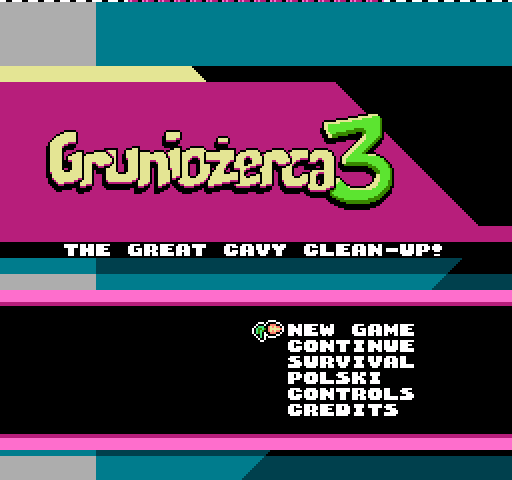
About Gruniozerca 3: The Great Cavy Clean-Up
Archon and Neko are almost home, the toys are everywhere, and Grunio has to tidy up.
Each room is cleared by hopping from toy to toy without touching the carpet. Story mode has 24 rooms, and Survival is endless. If you get stuck, Dzidzia may offer to show the solution, but you still have to do it yourself. The game can be played one-handed, and an inverted mode lets you hold the controller upside down.
Łukasz Kur programmed it and drew the graphics, with music by Chip Jockey. Blast Annual's review called it a brilliant game that deservedly won the NESdev 2018 competition. It is part of Gruniożerca Trilogy for Switch.
How to play
- Controls
- One-handed with the D-pad and Select: Right confirms, Left cancels, Select pauses. Inverted mode allows right-handed play with the controller upside down.
Facts
- Programming and graphics by Łukasz Kur, music by Chip Jockey.
- Won the 2018 NESdev competition, according to Blast Annual.
- Included on Action 53 Vol. 4.
- Part of Gruniożerca Trilogy for Nintendo Switch.
Cartridge
- Mapper
- 2 · UxROM
- PRG / CHR
- 64 KB / RAM
- Mirroring
- Vertical
- Saves
- No
65,552 bytes · CRC32 F4DE6CC4 · MD5 6a72aa4673f114fddd57e7bd195cff22
Keyboard controls
- D-pad
- ← ↑ ↓ →
- A
- Z
- B
- X
- Start
- Enter
- Select
- V
Steam Controller
- D-pad
- D-pad
- A
- A
- B
- B
- Start
- Start
- Select
- Select
Xbox controller
- D-pad
- D-pad
- A
- A
- B
- B
- Start
- Menu
- Select
- View
DualSense controller
- D-pad
- D-pad
- A
- ✕
- B
- ○
- Start
- Options
- Select
- Create
Keys and controller buttons can be remapped with the Controls button under the game. Save and Load keep a snapshot of the game in your browser. Steam Controller works as a gamepad through Steam Input. On phones, on-screen buttons appear.