NES
Magic Floor
Play online for free: no sign-up, no install, right in your browser.
Emulator
- Frame rate
- 0 FPS
- Speed
- 0 %
- Uptime
- 0:00
- Controller
- Keyboard
Emulated console
- CPU
- Ricoh 2A03 (6502), 1.79 MHz
- Memory
- 2 KB RAM
- Video
- PPU, 256×240, 54 colors
- Video memory
- 2 KB VRAM
- Sound
- 5 channels: 2 pulse, triangle, noise, DPCM
- Cartridge
- Mapper 0 · NROM, 16 KB / RAM
- Emulator core
- FCEUmm (EmulatorJS)
About Magic Floor
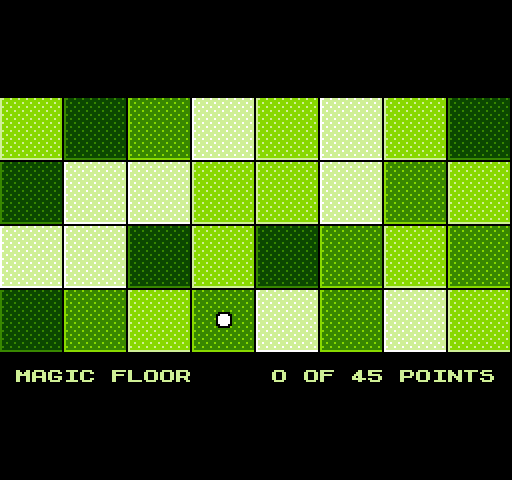
Martin Korth's score puzzle: roll a boulder over a floor of tiles in four shades of brightness.
Moving to the next brighter shade, or from the brightest back to the darkest, earns a point. Moves between tiles of the same shade are free, and anything else is not allowed. Arrows mark where you have been, so repeating a move earns nothing.
Korth made Magic Floor as a freeware sample for his no$ emulators and tools, and the NES version ships with his no$nes debugger. It needs no CHR chip, because it uses half of the console's own nametable memory for graphics. A 2018 update added smaller floors. Damian Yerrick later ported the game to the Game Boy as Libbet and the Magic Floor, adding a boulder girl named Libbet.
How to play
- Goal
- Collect as many of the available points as you can.
- Controls
- The D-pad rolls the boulder. Hold A to jump to a tile further away.
Facts
- A freeware sample from Martin Korth's no$ tools; the original dates from 2002.
- Damian Yerrick ported it to Game Boy as Libbet and the Magic Floor (2018).
- A 2018 update added a smaller floors option.
Cartridge
- Mapper
- 0 · NROM
- PRG / CHR
- 16 KB / RAM
- Mirroring
- Vertical
- Saves
- No
16,400 bytes · CRC32 3EBB9D3F · MD5 02d0de1cbc8e5bfb0bfcbc5d5a7f9f0b
Keyboard controls
- D-pad
- ← ↑ ↓ →
- A
- Z
- B
- X
- Start
- Enter
- Select
- V
Steam Controller
- D-pad
- D-pad
- A
- A
- B
- B
- Start
- Start
- Select
- Select
Xbox controller
- D-pad
- D-pad
- A
- A
- B
- B
- Start
- Menu
- Select
- View
DualSense controller
- D-pad
- D-pad
- A
- ✕
- B
- ○
- Start
- Options
- Select
- Create
Keys and controller buttons can be remapped with the Controls button under the game. Save and Load keep a snapshot of the game in your browser. Steam Controller works as a gamepad through Steam Input. On phones, on-screen buttons appear.