NES
Magnetizer
Play online for free: no sign-up, no install, right in your browser.
Emulator
- Frame rate
- 0 FPS
- Speed
- 0 %
- Uptime
- 0:00
- Controller
- Keyboard
Emulated console
- CPU
- Ricoh 2A03 (6502), 1.79 MHz
- Memory
- 2 KB RAM
- Video
- PPU, 256×240, 54 colors
- Video memory
- 2 KB VRAM
- Sound
- 5 channels: 2 pulse, triangle, noise, DPCM
- Cartridge
- Mapper 3 · CNROM, 32 KB / 8 KB
- Emulator core
- FCEUmm (EmulatorJS)
About Magnetizer
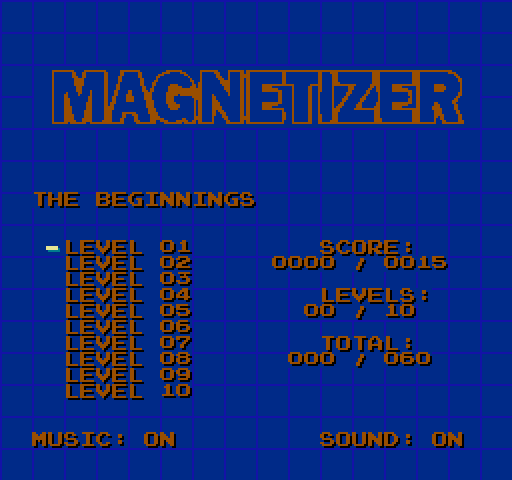
A logic puzzle about escaping a labyrinth: push a piece that keeps sliding until it hits something, and find the way out.
Every move has to be planned, because the piece never stops halfway. There are seven level sets of varying difficulty, and the menu tracks your progress in each.
It is Jakim's NES port of a game by Wackyjackie, who came up with the idea and the graphics. Jakim wrote the NES code and the music, and the levels are by Jakim, Wackyjackie and klapekboy. The sound engine is Shiru's FamiTone2. It came out on 24 April 2023, and the source is on GitHub.
How to play
- Controls
- In the menu Up and Down pick the level and Left and Right the set. In play the D-pad moves, B restarts, A skips to the next level and Select returns to the menu.
Facts
- Released on itch.io on 24 April 2023.
- Seven level sets.
- Original idea and graphics by Wackyjackie; NES code and music by Jakim.
- Source code on GitHub (JakimPL/Magnetizer).
Cartridge
- Mapper
- 3 · CNROM
- PRG / CHR
- 32 KB / 8 KB
- Mirroring
- Vertical
- Saves
- No
40,976 bytes · CRC32 03AB1DA6 · MD5 660c77c39372af90210821d788c44b4e
Keyboard controls
- D-pad
- ← ↑ ↓ →
- A
- Z
- B
- X
- Start
- Enter
- Select
- V
Steam Controller
- D-pad
- D-pad
- A
- A
- B
- B
- Start
- Start
- Select
- Select
Xbox controller
- D-pad
- D-pad
- A
- A
- B
- B
- Start
- Menu
- Select
- View
DualSense controller
- D-pad
- D-pad
- A
- ✕
- B
- ○
- Start
- Options
- Select
- Create
Keys and controller buttons can be remapped with the Controls button under the game. Save and Load keep a snapshot of the game in your browser. Steam Controller works as a gamepad through Steam Input. On phones, on-screen buttons appear.