
NES
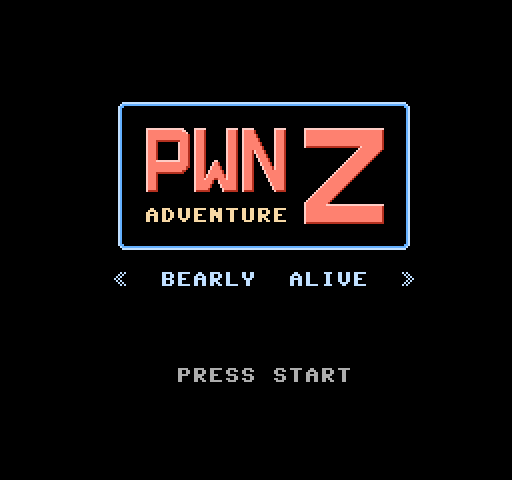
Pwn Adventure Z
Play online for free: no sign-up, no install, right in your browser.
Emulator
- Frame rate
- 0 FPS
- Speed
- 0 %
- Uptime
- 0:00
- Controller
- Keyboard
Emulated console
- CPU
- Ricoh 2A03 (6502), 1.79 MHz
- Memory
- 2 KB RAM
- Video
- PPU, 256×240, 54 colors
- Video memory
- 2 KB VRAM
- Sound
- 5 channels: 2 pulse, triangle, noise, DPCM
- Cartridge
- Mapper 1 · MMC1 / SxROM, 256 KB / RAM
- Emulator core
- FCEUmm (EmulatorJS)
About Pwn Adventure Z
- Platform
- NES
- Developer
- Vector 35 (Peter LaFosse, Rusty Wagner, Jordan Wiens and others)
- Year
- 2015
- Players
- 1
- License
- Homebrew
Vector 35's zombie survival adventure with crafting, made to be hacked at the CSAW CTF 2015.
You explore an overworld, a sewer and mines, fight the infected with weapons such as sniper rifles and grenades, and finally face Patient Zero. Finish on Normal and the game hints how to unlock Hard.
Peter LaFosse, Rusty Wagner and Jordan Wiens of Vector 35 made it as an NES entry in their Pwn Adventure series, with music by fuzyll. At the in-person CSAW CTF finals in 2015, each team got a physical cartridge with custom artwork and had to hack the game's built-in challenges; the carts were made with help from Infinite NES Lives. The developers left in some glitches they found in testing, such as the campfire glitch.
A changed version was used for the AGDQ 2016 TAS event, with the secret code removed and the drop RNG altered. Vector 35 published the ROMs, including the exact build students played, and the source code.
Facts
- Made by Peter LaFosse, Rusty Wagner and Jordan Wiens of Vector 35; music by fuzyll.
- Each CSAW CTF 2015 finals team received a cartridge with custom artwork.
- An AGDQ 2016 edition removed the secret code and changed the drop RNG.
- Source code and ROMs published on GitHub.
Cartridge
- Mapper
- 1 · MMC1 / SxROM
- PRG / CHR
- 256 KB / RAM
- Mirroring
- Horizontal
- Saves
- Yes
262,160 bytes · CRC32 BA0023AC · MD5 fac7dfa113359419a7a74e3d1f62d74e
Keyboard controls
- D-pad
- ← ↑ ↓ →
- A
- Z
- B
- X
- Start
- Enter
- Select
- V
Steam Controller
- D-pad
- D-pad
- A
- A
- B
- B
- Start
- Start
- Select
- Select
Xbox controller
- D-pad
- D-pad
- A
- A
- B
- B
- Start
- Menu
- Select
- View
DualSense controller
- D-pad
- D-pad
- A
- ✕
- B
- ○
- Start
- Options
- Select
- Create
Keys and controller buttons can be remapped with the Controls button under the game. Save and Load keep a snapshot of the game in your browser. Steam Controller works as a gamepad through Steam Input. On phones, on-screen buttons appear.
More Adventure games: NES
View all After World DeluxeNES · Adventure
 Cheril the GoddessNES · Platformer
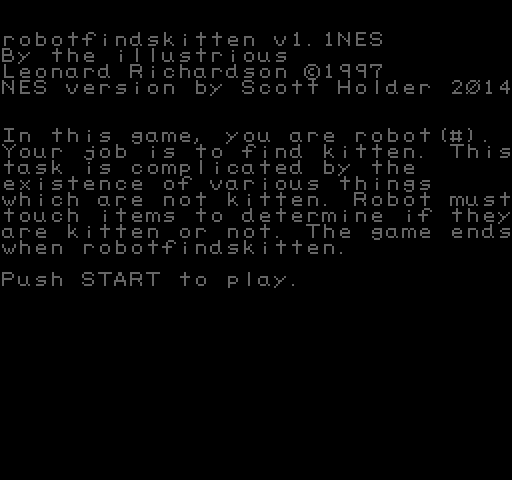 RobotfindskittenNES · Adventure
 The Paths of BridewellNES · Adventure
 The Mad Wizard: A Candelabra ChronicleNES · Platformer
 Turtle Rescue UnwrappedNES · Adventure
 Your First EasterNES · Adventure
 What RemainsNES · Adventure
 Secret of GrimshireNES · Adventure
 Smertelnyi Neirovirus EiforiyaNES · Adventure
 Squirrel ChaserNES · Adventure
 Swamp DonkeyNES · Adventure