NES
Color Match Combat
Play online for free: no sign-up, no install, right in your browser.
Emulator
- Frame rate
- 0 FPS
- Speed
- 0 %
- Uptime
- 0:00
- Controller
- Keyboard
Emulated console
- CPU
- Ricoh 2A03 (6502), 1.79 MHz
- Memory
- 2 KB RAM
- Video
- PPU, 256×240, 54 colors
- Video memory
- 2 KB VRAM
- Sound
- 5 channels: 2 pulse, triangle, noise, DPCM
- Cartridge
- Mapper 0 · NROM, 32 KB / 8 KB
- Emulator core
- FCEUmm (EmulatorJS)
About Color Match Combat
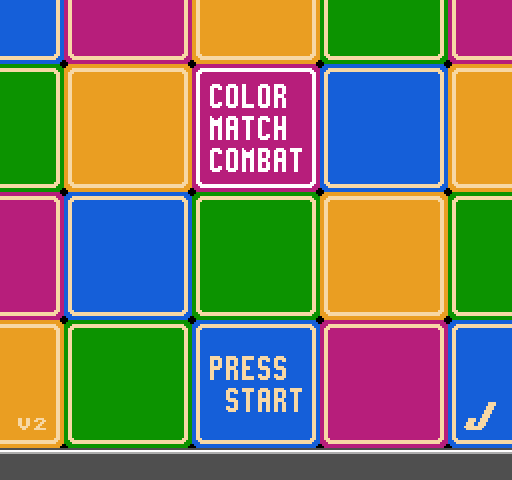
Johnybot's head-to-head falling-block puzzle in the style of Super Puzzle Fighter, against the computer or a second player.
Bomb blocks blow up connected blocks of their colour and drop garbage on your opponent, and Super Bombs clear a whole colour for half as much garbage. Garbage blocks turn normal after a few turns. Each player picks one of nine patterns that decides what garbage they send, and matches can swing wildly.
Johnybot entered it in the NESdev Compo 2023, where it ranked 4th for gameplay, 6th for sound, 7th for overall impression and 9th for polish. There is a normal build and a separate compo edition, and one jam commenter found the AI well suited to beginners.
How to play
- Controls
- Play against the computer, or a second player joins by pressing Start on controller 2 at the pattern screen.
Facts
- Entered in the NESdev Compo 2023: 4th for gameplay, 6th for sound, 7th overall impression, 9th polish.
- Released as a free ROM with a separate compo edition.
Cartridge
- Mapper
- 0 · NROM
- PRG / CHR
- 32 KB / 8 KB
- Mirroring
- Vertical
- Saves
- No
40,976 bytes · CRC32 F5C16D7C · MD5 fb288a3b830dc01f2e098a78bb0c6677
Keyboard controls
- D-pad
- ← ↑ ↓ →
- A
- Z
- B
- X
- Start
- Enter
- Select
- V
Steam Controller
- D-pad
- D-pad
- A
- A
- B
- B
- Start
- Start
- Select
- Select
Xbox controller
- D-pad
- D-pad
- A
- A
- B
- B
- Start
- Menu
- Select
- View
DualSense controller
- D-pad
- D-pad
- A
- ✕
- B
- ○
- Start
- Options
- Select
- Create
Keys and controller buttons can be remapped with the Controls button under the game. Save and Load keep a snapshot of the game in your browser. Steam Controller works as a gamepad through Steam Input. On phones, on-screen buttons appear.